AudioSilo Server 2.4: podcasts, the Bridge and a guided first run
Release · 6 min · 12 chapters
Podcasts beside your books, a Bridge that writes characters, recaps, descriptions and chapters for you, a guided setup for new servers, genres and tags, and files in natural order.
Published , updated Checked against Server 2.4.0 and 2.4.1 with their bundled web player, app 2.4.0, Bridge 0.3.0 and 0.3.1 on
AudioSilo Server 2.4: podcasts, the Bridge and a guided first run
6:00 minutes to read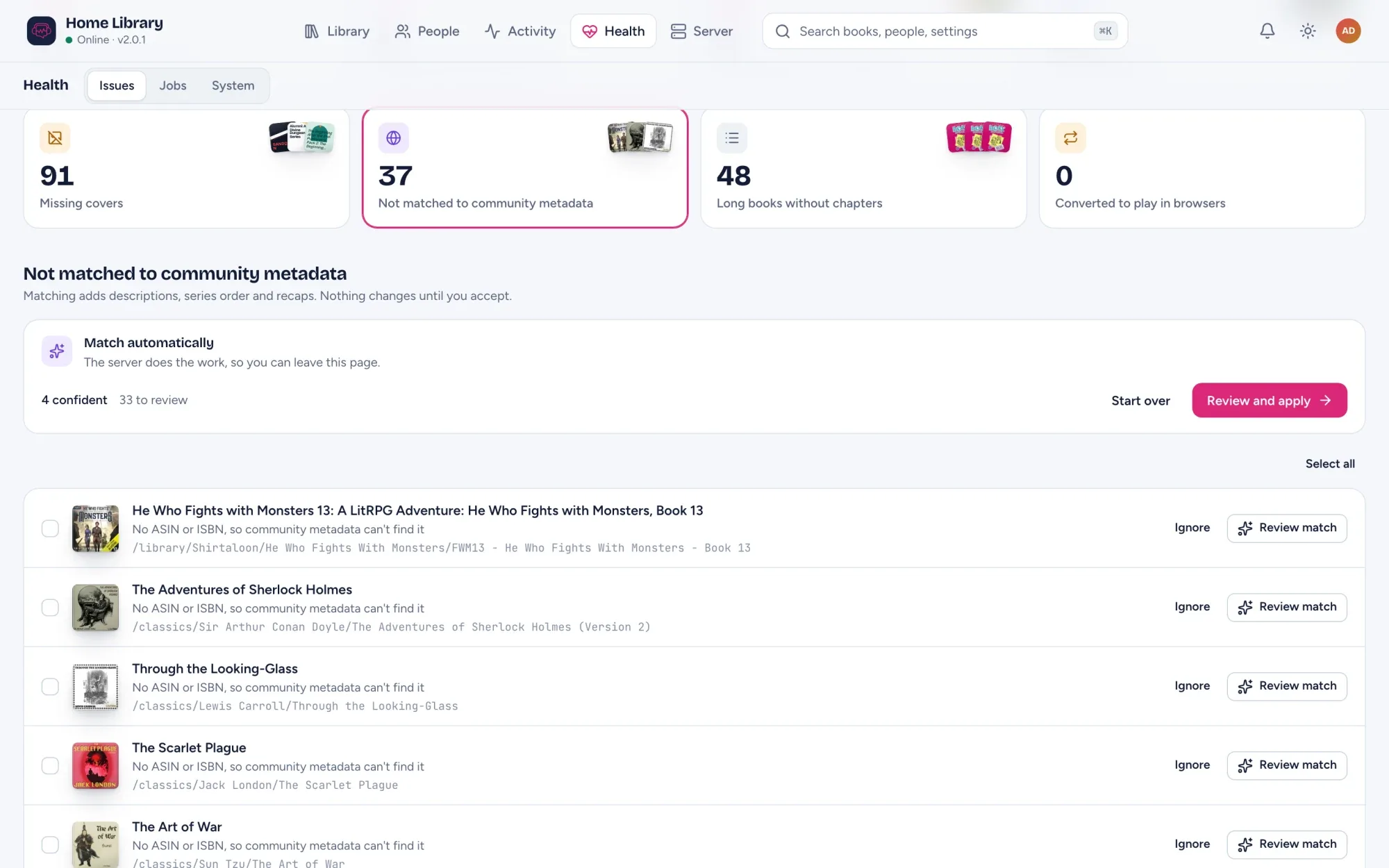
AudioSilo Server 2.4.0 came out on 24 October, with 2.4.1 and its fixes the same day. The big one is podcasts: a podcast library on your server next to your audiobooks. They arrive with the Bridge, AudioSilo’s optional companion container, which downloads episodes and can write characters, recaps, descriptions and chapters.
New servers also get a guided first run, books gain genres and tags, and a book’s files now play in natural order.
Where it runs: the new listening features are in the web player bundled with the server (/web) and in app 2.4.0 for iPhone, iPad and Android. Older apps keep working with 2.4, but don’t show podcasts at all, even to an admin.
How to update
- Back up your data folder. 2.4.0 runs eight database migrations on first start; 2.4.1 has none.
- Run
docker compose pull && docker compose up -d, or install from GitHub Releases. - If you run a Bridge, update it to 0.3.1 (
ghcr.io/kodestar/audiosilo-bridge). The image is public, so no login is needed. Podcasts, generating, chapter detection and contributions need Bridge 0.3.0 or later. See Running a Bridge. - If an admin console tab was open during the upgrade, reload it.
The next scan reads each book’s genres from its files and metadata.json once, without re-reading the audio.
Podcasts beside your books
A podcast library has a Shows grid and a page for each show, and New episodes on Home gathers the latest from the shows you follow. Press Play on any episode, downloaded or not: the player shows Getting this episode and starts it once it’s ready. Each show keeps the newest episodes (Keep N, Keep 3 by default), downloads only what someone plays (On demand), or keeps the whole feed (Archive).
Add shows from the player: search a directory (Apple Podcasts, or Podcast Index if your admin sets it up), follow a feed address, or import an OPML list. Export my shows saves your list for any podcast app. See How to move your podcast subscriptions with OPML.
To set it up:
- Pair a Bridge.
- Turn on Podcasts under Server > Settings > Modules.
- Add a library with the Podcasts kind. Give everyone access grants it to every listener.
The whole tour is in Podcasts in AudioSilo.
Characters, recaps, descriptions and chapters from the Bridge
Pair a Bridge under Settings > Bridge; its setup card shows what’s ready and what’s left. The server itself still never writes to your folders.
- Generate characters and recaps for a book the community hasn’t covered (admins only). The Bridge transcribes the book and has an AI agent you provide (Claude or Codex) read it, checks the result for mistakes and spoilers, and shows an estimate first. A monthly cap limits what it spends.
- Write a description: a short, spoiler-free one for a book nothing else describes. It stays on your server.
- Detect chapters for a long book with none (Health > Long books without chapters), from the narration, with no agent cost.
- Hand the transcription to an ASR worker on a faster computer: a Mac with Apple silicon, or a PC with an NVIDIA GPU.
Generated content is marked Generated on this server and saved in a .audiosilo folder beside the book, so it survives a database rebuild. See Generating characters and recaps and Characters and recaps from your own Bridge.
Give back to the community, only when you ask
With a Bridge signed in to GitHub and the Contributions module on, a book’s Community metadata card can Share with the community the characters and recaps your Bridge generated (CC BY-SA 4.0). Suggest corrections sends the edits you pick from a matched book (CC0), reviewed on GitHub. Nothing is sent unless you ask. See The Bridge.
Set up your server
The first time you sign in to the console on a new server, it opens Set up your server: eight short, skippable steps from an empty server to a matched library and a signed-in phone. It catches the usual Docker host-path mistake, sets up community metadata, checks your addresses and backups, and pairs a phone. A server already in use never sees it. See Set up your server.
Genres and tags
Books gain genres, tags, a subtitle, publisher, language and abridged, editable one book at a time or in bulk. Genres come from the files’ genre tag and Audiobookshelf’s metadata.json, tags from metadata.json. The player shows genre and tag chips, and Library > Books in the console filters by them. See Tidying a big library.
Files play in natural order
“2- Part” now comes before “10- Part”, whatever the punctuation, so parts no longer need leading zeros. Chapters a Bridge found move with their files. See How to organise audiobook folders and Why audiobook files play out of order.
.mka books in the web player
.mka (Matroska audio) books are indexed and play in the web player, converted by the server as they play (this needs ffmpeg). The iOS and Android apps list them but can’t play them yet.
Also in the console
- Selecting many books: a Select button, Shift-click for a range, and Select all N matching past the loaded page (up to 1,000 books).
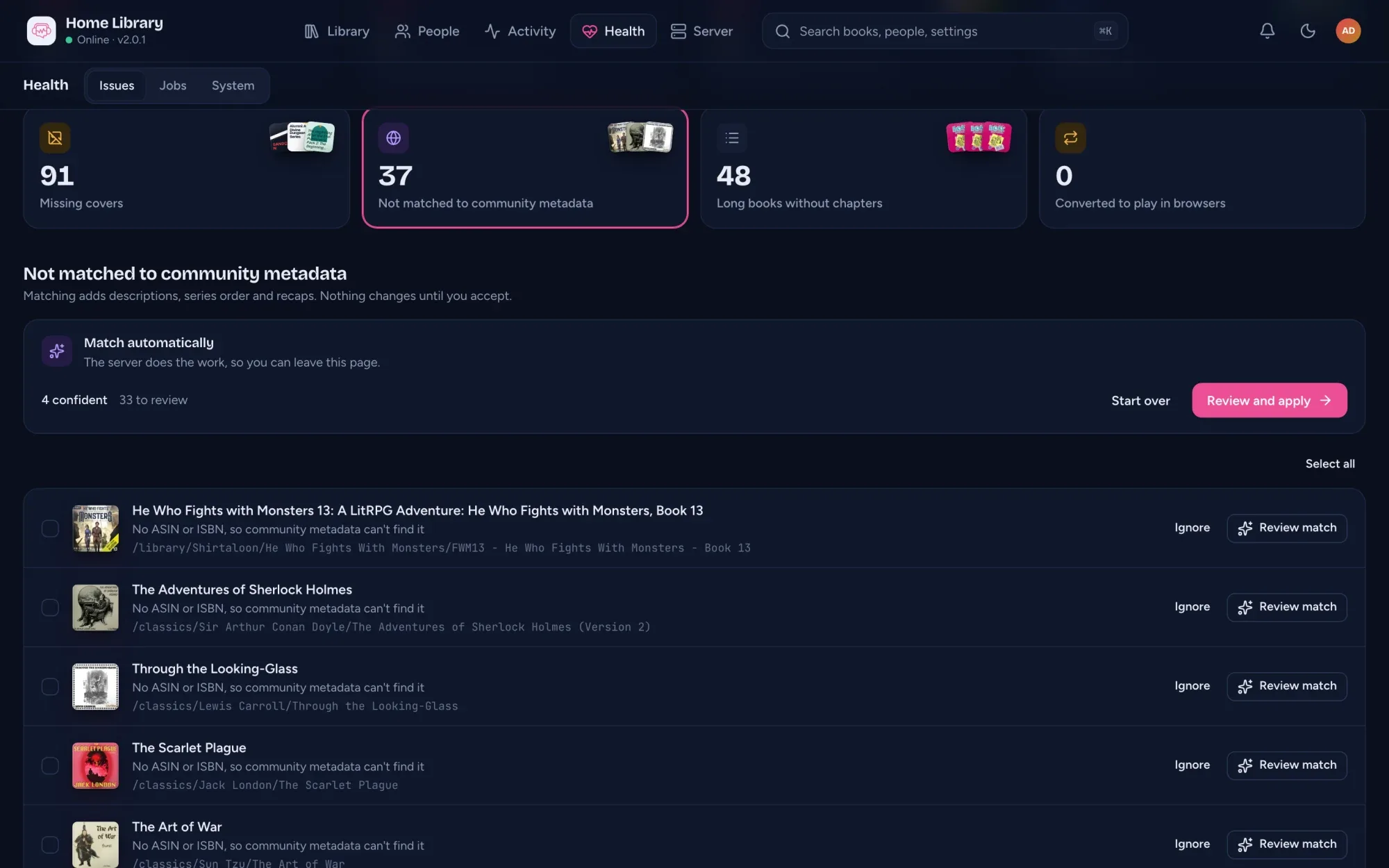
- Match review lists the best matches first, and Match by hand opens without losing your place.
- Health > Likely duplicates can Include other libraries.
- Listen in player on a book’s page opens it in the web player, already signed in.
- The library export adds published dates, every series a book is in, an optional description, and one row per copy if you ask.
Fixes
In 2.4.0:
- A series tag like “Discworld, book #40” gives the series “Discworld” and position 40.
- A title in another script (“Война и мир”, “第1章”) is kept instead of being replaced by the folder name.
- Re-running a match no longer replaces a book you matched by hand.
- Scanning an invite QR code in app 2.4.0 goes straight to signing in.
- The search palette and Up next show book titles instead of file names.
In 2.4.1 (and Bridge 0.3.1):
- When a server ends your session, the player shows one Sign in again message with Reconnect, instead of load errors.
- A server is only marked down when it really isn’t answering, and the Library reloads when it’s back. With several servers, the player names the one that’s down.
- A book whose download finishes while you stream it moves to the downloaded copy at the same place.
- A bookmark added in CarPlay or Android Auto that couldn’t be saved offline keeps its place when it’s sent again.
- Up next keeps an episode the server is still fetching, even if the fetch fails.
- A library declared in
config.yamlcan’t be deleted from the console any more. Before, the delete removed everyone’s progress in it, and the library came back at the next restart. - With Allowed web origins set, a web player on another site gets your server’s covers and audio.
- On the Bridge,
reset-passwordsigns out every Bridge page session, and installing ffmpeg, ffprobe or whisper-cli on Linux gets past a “text file busy” error.
Good to know
- Natural file order may move a listener’s place in a book whose files played out of order. A downloaded copy takes the new order the next time the book is started online with app 2.4.0.
- Podcasts for now stream from your server only. Downloading episodes to a phone, kids mode and casting come later.
- Private feeds are seen only by the people who follow them, admins included. The Bridge keeps their addresses encrypted, and they never go into an export.
- The tag fixes reach an existing book when one of its files changes, or with Rescan this book.
- The 2.4.1 player fixes are in the bundled web player, and in app 2.4.1 when that update reaches your device.
- Rolling back to 2.3.1 still works; upgrading again re-indexes podcast shows.
Thanks to @scruffynerf and @wtanksleyjr for the requests behind much of the library work. The full notes: v2.4.0 and v2.4.1.
Changes to this post
-
Replaced by AudioSilo Server 2.5: read the ebook, a faster server, and .mka everywhere.
-
Rewritten to be shorter and easier to read. No facts changed.
-
v2.4.1: fixes for sign-in, servers that aren't answering, downloads and the car, plus Bridge v0.3.1.
-
Links the posts on Bridge recaps and contributions, tidying a big library, OPML and file order.
-
Corrects where genres come from (files and metadata.json, not community matches) and that Shift-click selects a range in the grid too.
-
First published.
This post replaces AudioSilo Server 2.3: household members, Chromecast and a local metadata copy.
Up next
- 1 AudioSilo Server 2.5: read the ebook, a faster server, and .mka everywhere Release · 7 min
- 2 Podcasts in AudioSilo: your shows beside your books Feature · 4 min
- 3 Set up your server: a guided first run in the admin console Feature · 3 min