AudioSilo 2.0: the redesigned player, now in the App Store and on Google Play
Release · 3 min · 8 chapters
A new player rebuilt around the whole book, on the web, iPhone, iPad and Android. What's in 2.0, from the whole-book timeline and Sleep timer 2.0 to your Year in listening.
Published Checked against App 2.0.0 (iOS, Android), server 2.0.0 and later on
AudioSilo 2.0: the redesigned player, now in the App Store and on Google Play
3:00 minutes to read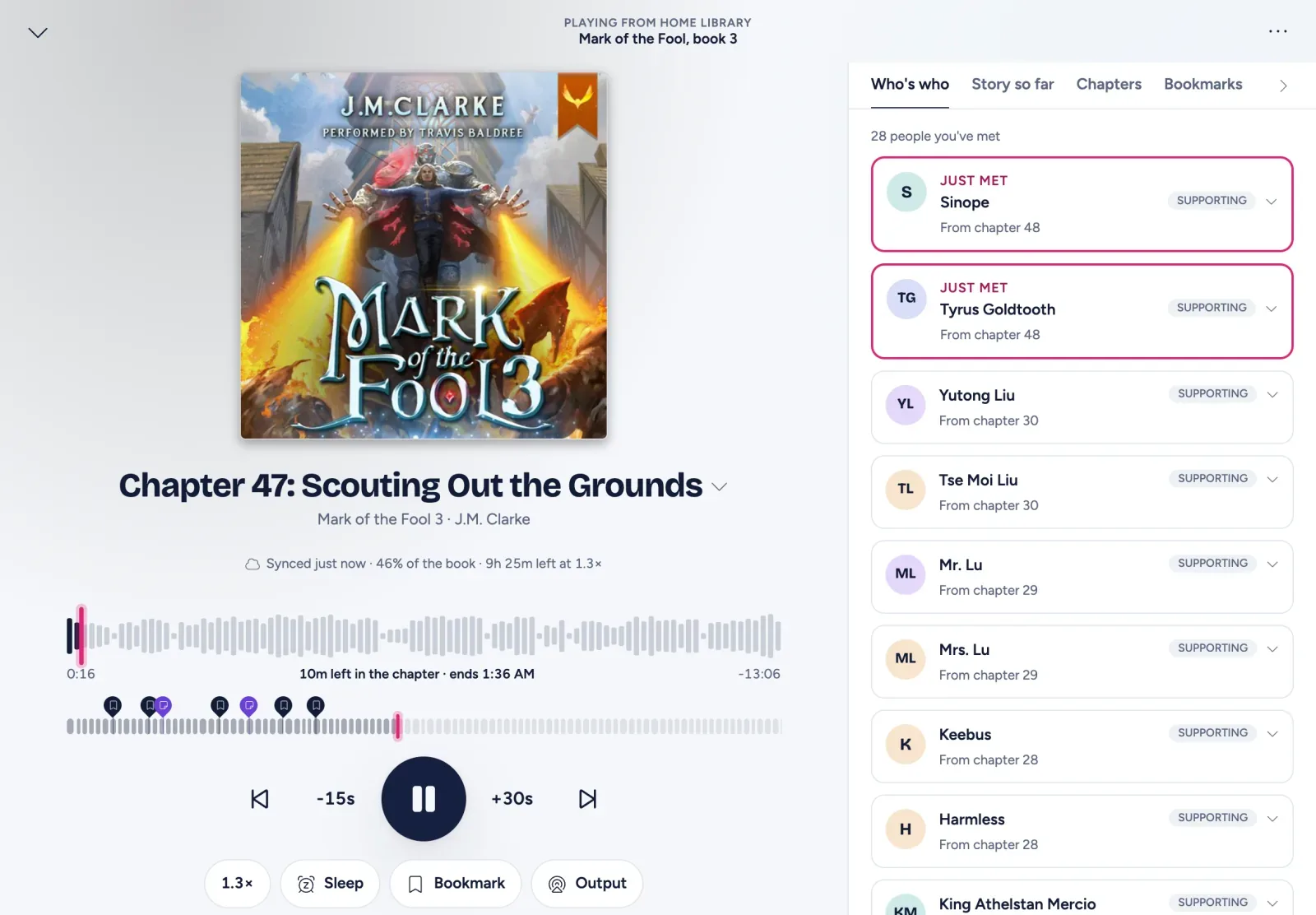
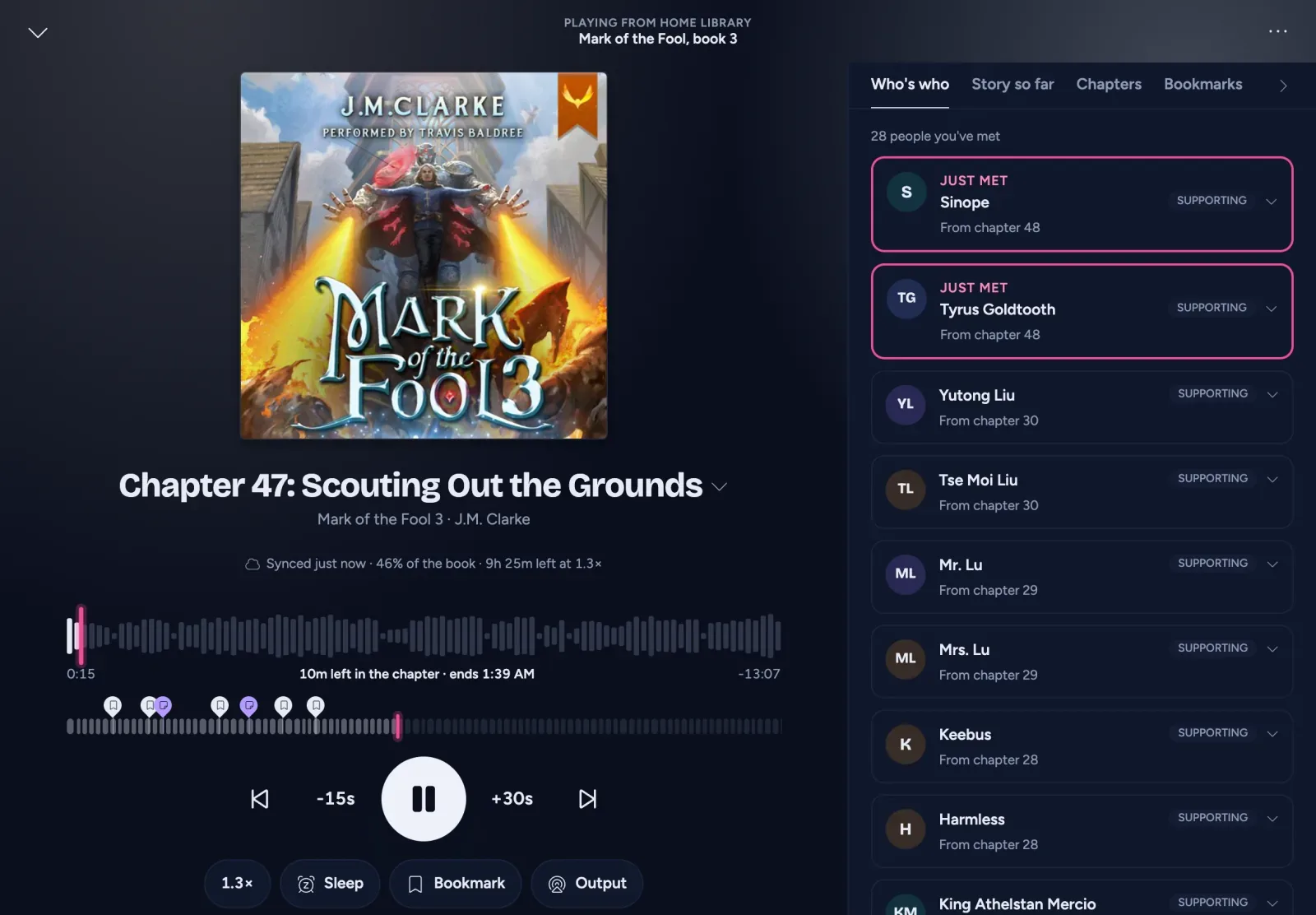
AudioSilo 2.0 is a new player, rebuilt from the ground up around the whole book. It reached the App Store for iPhone and iPad on 10 October and Google Play on 12 October, and it has been the web player of every AudioSilo server since server 2.0.0, released on 8 October. Same app, same look, on the web, iPhone, iPad and Android, in light and dark (new installs follow your system).
Get it: App Store, Google Play, or open /web on your server. No server? Try it in the live demo.
Browse
- Home: what you’re listening to, with the time left at your speed and when you’ll finish, then Continue listening, Next in your series, This week, and shelves like Recently added and Favourites.
- Library: books, authors, series, narrators, collections and folders, as a grid or a list, with filters (not started, in progress, finished, downloaded, length, server), sorting and an A-Z rail.
- Series bookcase: a series as spines in reading order, the book you’re on face-out, and ghost spines for the books you don’t have yet.
- Search across all your servers for books, authors, series, narrators and the characters you’ve met so far, never ahead of where you are.
- Up next: a queue you can drag to reorder, with suggestions to carry on a series.
The player
- The whole-book timeline, with every chapter, bookmark and note on it, under a chapter seek bar that gives fine control even in a long book.
- Undo a jump: after any skip of more than a minute, a “Back to” chip takes you back.
- Sleep timer 2.0: stop after a set time, fading out gently, or at the end of this or a later chapter, and if you nod off, it marks where and offers to jump back. In the apps, a shake keeps the book going.
- Companion: Who’s who and Story so far from the community database, revealed only up to where you are, plus a “Previously on” when you come back after a break. These appear for books someone has written recaps and characters for.
- End of book: the next book in the series, your stats for this one and a rating.
- Bookmarks and notes: labels on bookmarks, notes pinned to a moment, and the book’s technical details on its page.
You and your listening
- Journal: your listening history, bookmarks and notes across every book, exported to Markdown or CSV.
- You: a listening calendar, your listening clock, a yearly goal and streak, and your top authors, narrators and series.
- Year in listening: a story of your year you can share as an image.
- Settings and Account regrouped so each setting lives in one place, with your devices (and sign-out) under Account.
On the web
The web player at /web has keyboard shortcuts (press ?) and ⌘K / Ctrl+K quick search that also runs actions. Books in a format your browser can’t play are converted on the fly when the server has ffmpeg, which the Docker image includes. It needs a recent browser: about Safari 16.4, Chrome 111 or Firefox 128 or newer.
Home and away
The apps know both of your server’s addresses and switch between them on their own: the home address on your network, the public one when you’re out. Your admin sets the home address once (Server > Settings > General > Home address); Listen away from home explains it.
Server 2.0 alongside
Server 2.0.0 bundles this player at /web, adds the home and away addresses, and brings Import listening history from Audiobookshelf, so people moving over keep their stats, streaks and finished dates. See Moving from Audiobookshelf. Every change to the player API is additive, so older apps keep working with newer servers.
Getting started
- New to AudioSilo? Start with Self-hosted audiobook server.
- Already running a server? Install the app and pair it with a QR code.
- Want the hidden gems? 14 player features worth knowing.
Changes to this post
-
First published.
Up next
- 1 AudioSilo player tips: 14 features worth knowing Tip · 4 min
- 2 How to pair your phone with your AudioSilo server using a QR code Tutorial · 4 min
- 3 AudioSilo Server 2.1 and 2.2: community chapters, books in several series, covers Release · 3 min