A tour of the AudioSilo admin console
Tutorial · 3 min · 12 chapters
Four and a half minutes on a real household server - fixing a badly tagged book, the library and series shelves, Health, people and invites, activity and settings.
Published Checked against Server 2.0 and later (recorded on 2.0) on
A tour of the AudioSilo admin console
3:00 minutes to read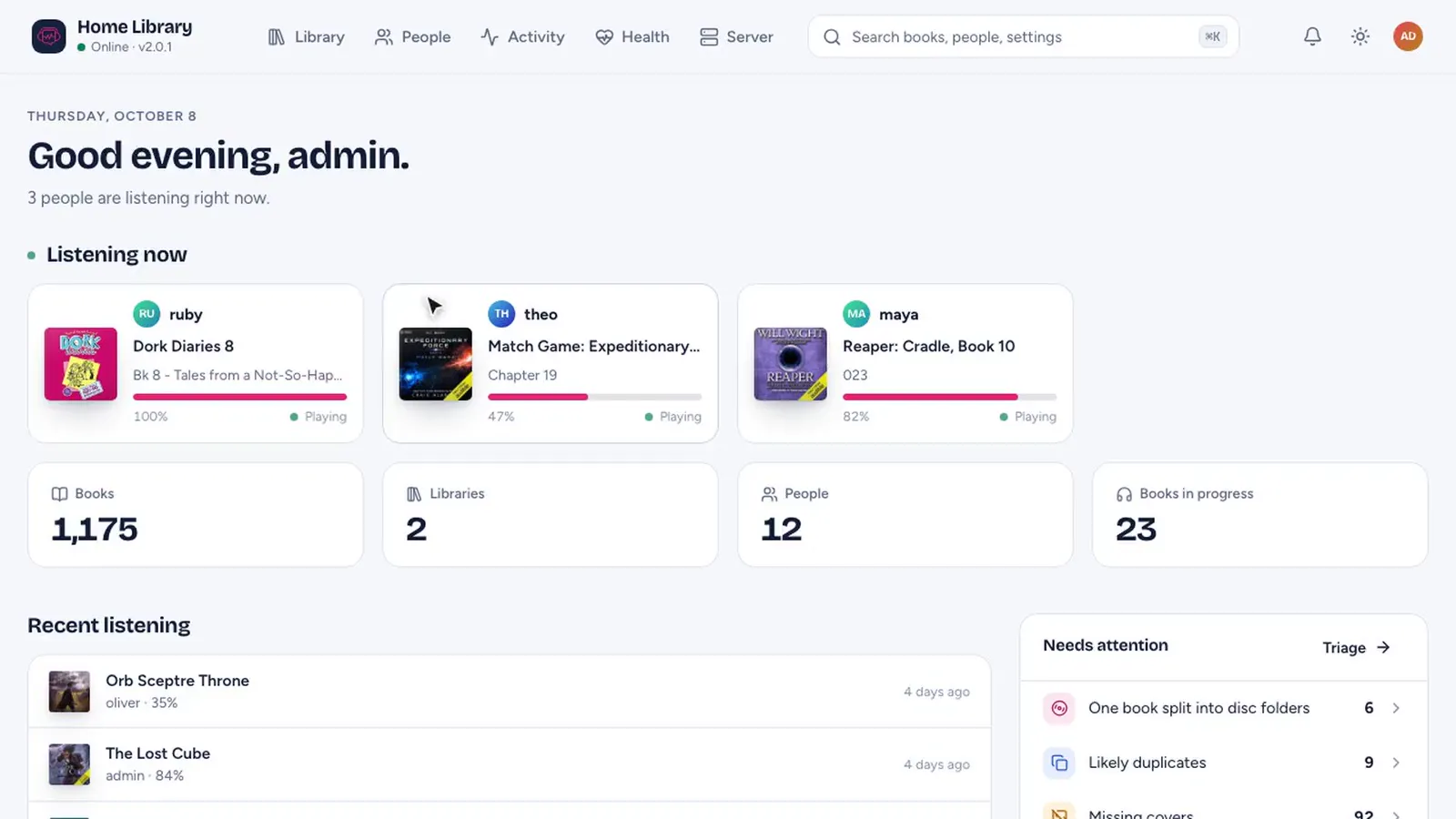
In this video
- 0:00 Overview and Health
- 0:20 Fixing a badly tagged book with Match
- 1:18 The library and its filters
- 1:47 Series shelves and gaps
- 2:01 Folder detection
- 2:13 Health and Match automatically
- 2:56 People, devices and invites
- 3:28 Activity and Year in listening
- 3:54 Settings, import, backups and logs
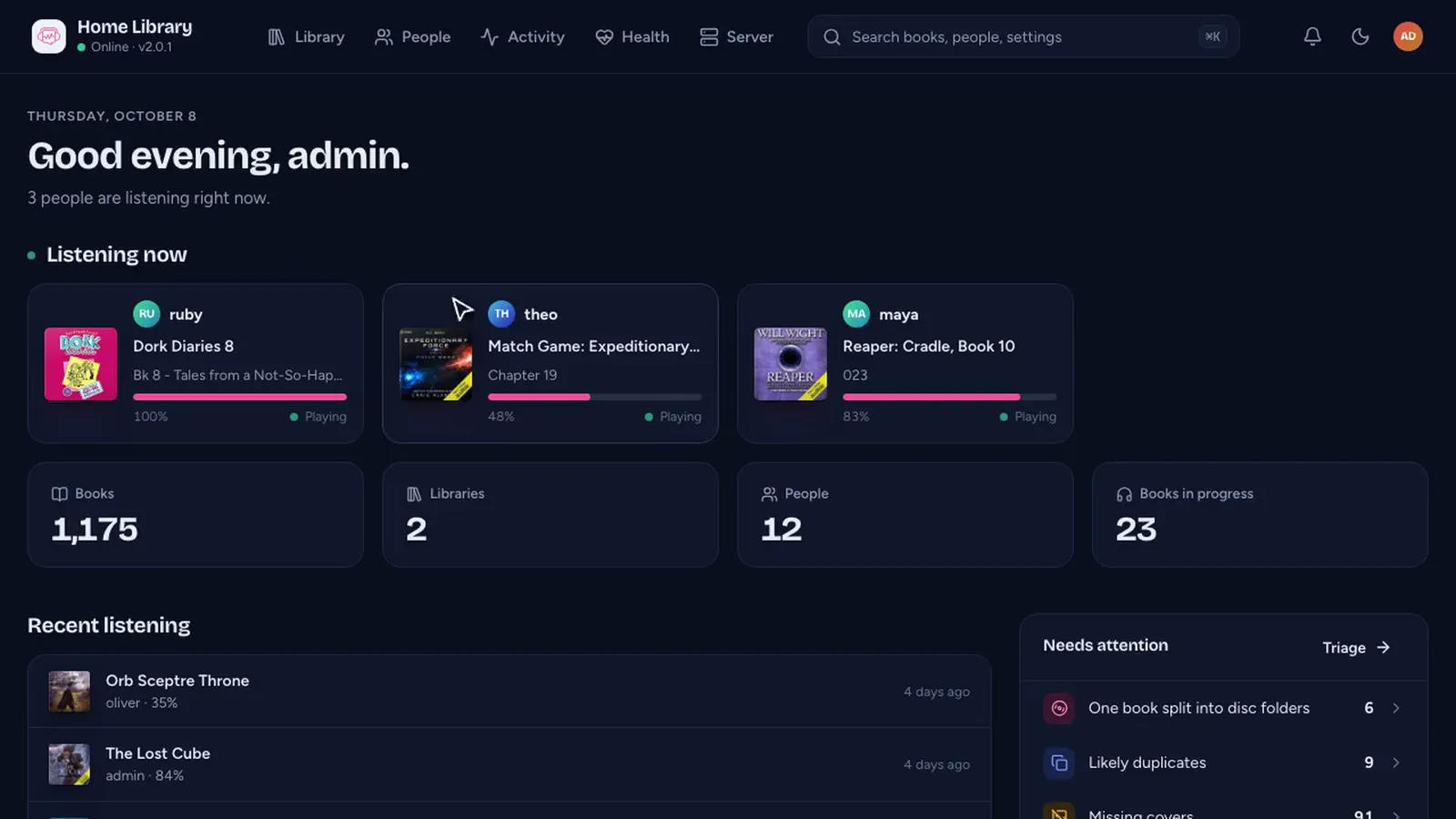
The admin console is where you run an AudioSilo server: add libraries, fix books, invite people and see how the household listens. It’s built into the server at /admin, installs like an app from the browser, and comes in light and dark. The video above walks through it on a real household server in about four and a half minutes, with captions. Here’s what it shows, with links to go deeper.
The overview (0:00)
The console opens on who’s listening right now, with the book, the chapter and how far through, then totals and what needs attention. Health checks run on every scan: duplicates, missing covers, books that aren’t matched yet. Search is everywhere: press ⌘K (Ctrl+K) and type.
Fixing a badly tagged book (0:20)
The tour picks a book whose tags are swapped: its title says Bernard Cornwell and its author says Sharpe’s Eagle, and it has no cover. Each field on the book’s page shows where its value came from. The folders, though, say Bernard Cornwell / Richard Sharpe / Sharpe - 08 - Sharpe's Eagle.
Match looks the book up in the community database, folder names and all. The right book comes first, with its cover, and each edition’s length is checked against your files. Then it’s field by field: you tick what to take. The book had no cover, so the community one is ticked too.
The fix is stored as overrides in the server’s database. Your files aren’t touched, and a rescan won’t undo it. The author, narrator and series become links to the rest of their books.
More: Fix wrong covers, titles and series.
The library (1:18)
The library opens on what’s new and on books that could do with attention, with filters for everything the server knows: format, codec, cover, chapters, matched or not. A library can also take book details from folder names first, for folders named better than they’re tagged.
Series (1:47)
Community data puts each series in order, and a complete one gets a full shelf. Books you don’t have yet show as gaps.
One folder, one book (2:01)
The server reads one folder as one book unless you say otherwise. The tour sets a folder of Narnia files to be seven separate books, and rescans remember it.
Health and Match automatically (2:13)
Health turns scan results into a to-do list. Match automatically looks up every unmatched book in the background, and nothing changes until you’ve reviewed it. You choose what gets written (just the IDs, what’s missing, or the community’s values), and less certain matches wait for a closer look, with each book’s folder and the match’s series. Scans run in a queue, on a schedule per library, with a log for each run.
People (2:56)
Everyone on the server, what they’re in the middle of, and who’s listening now. Each person has their own Year in listening and a list of every device they’ve signed in on. Adding someone is an invite: a link or a QR code they scan with the app, no password needed. See How to pair your phone.
Activity (3:28)
Hours, sessions and books finished, all kept on your server with no third-party analytics. When the household listens, which apps they use, and what needed converting to play. And a Year in listening for the whole server.
Settings (3:54)
Settings live in the console. The apps know the home address and the public one, and switch on their own. Import brings everyone’s listening history over from Audiobookshelf. There are scheduled database backups, alerts to a webhook, ntfy or Discord, live logs, and an audit log of every change an admin makes.
Since the recording
The tour was recorded on server 2.0. Server 2.1 and 2.2, released the same day as this post, add community chapters, books in more than one series, Clear community matches and a support card you can dismiss for good: see Server 2.1 and 2.2.
Try it yourself
The public demo is a listener’s account, so it doesn’t include the admin console; the video is the way to see it without installing. To run your own, see Self-hosted audiobook server or the console tour in the docs.
Changes to this post
-
First published.